Xelium OneXelium One
PlatformModulesSolutions
  • Product TourSee Xelium One screen by screen
  • Security & trustHow your data is protected
  • Founder's visionWhy we are building Xelium One
  • FAQsAnswers to common questions
  • All resourcesGuides, pricing and more
Pricing
Product TourSign inGet started
  • Platform
  • Modules
  • Solutions
  • Pricing

Resources

  • Product Tour
  • Security & trust
  • Founder's vision
  • FAQs
  • All resources
Sign inGet started

Product Tour · no sign-up needed

Xelium One Product Tour

Walk through Xelium One in 11 short steps, from one shared Core to invoices and reports. Every picture is a real Xelium One screen from the demo organisation Northwind (demo data); the people, clients and amounts are example data.

Step 10 of 11Skip to Get started
  1. Meet Xelium One (seen)
  2. One Core (seen)
  3. People (seen)
  4. Pulse (seen)
  5. Talent & offers (seen)
  6. Timesheets (seen)
  7. Revenue (seen)
  8. Invoicing (seen)
  9. Reports (seen)
  10. 10Administration
  11. 11Get started

Roles, modules, audit and policies

Administration
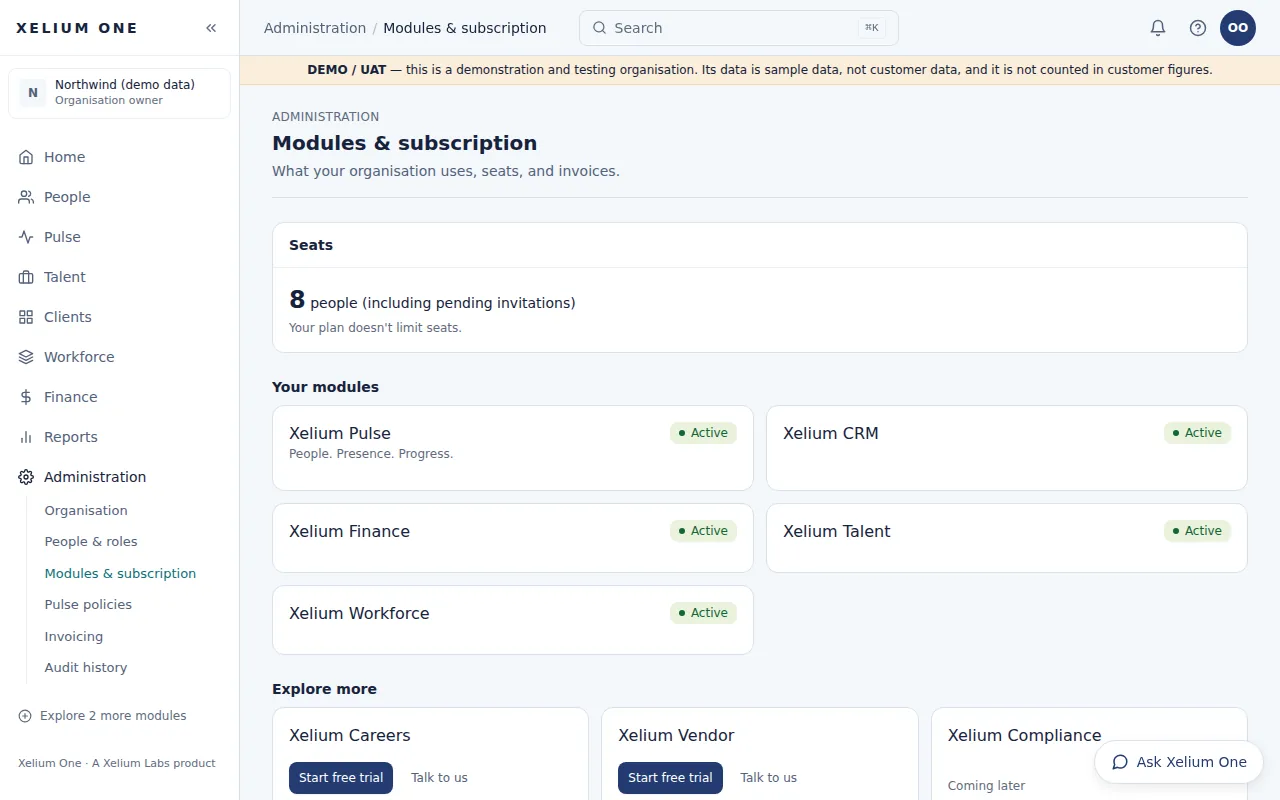
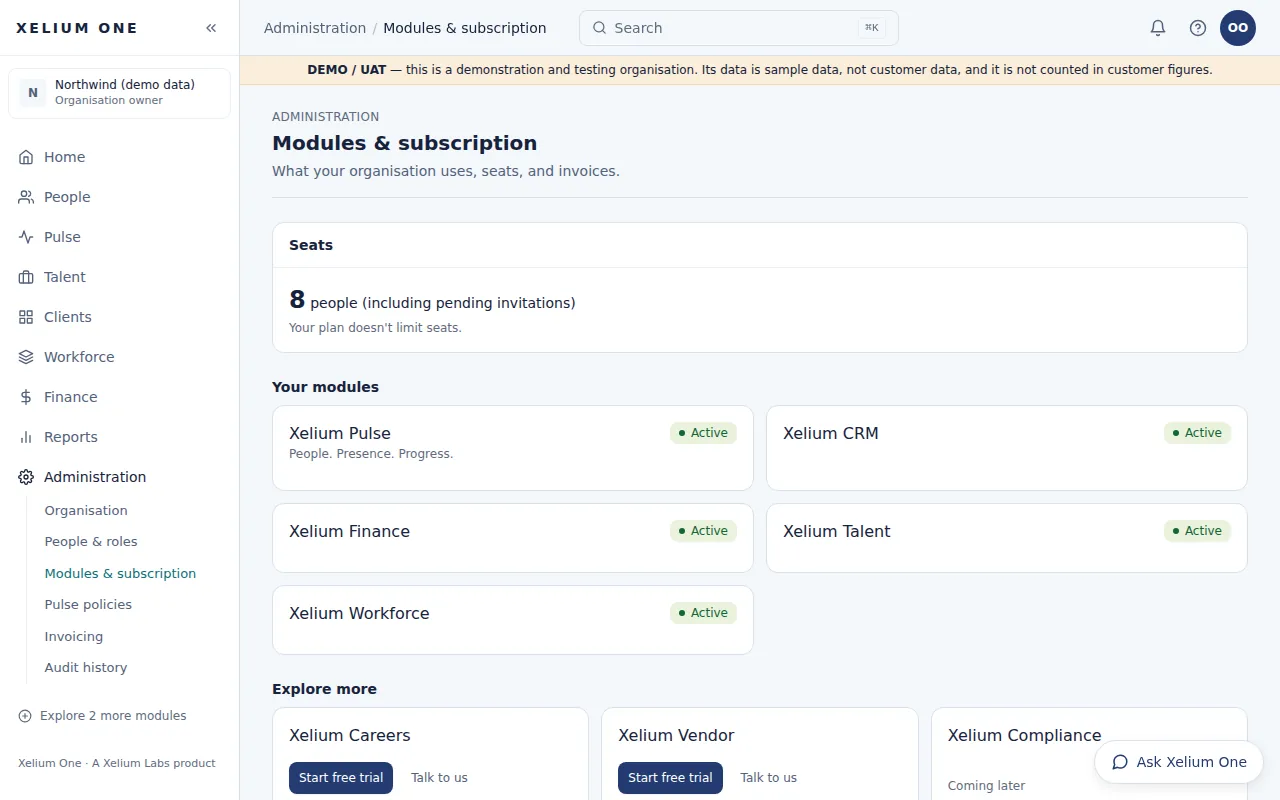
The Modules & subscription page: seats in use, the demo organisation's active modules, and more modules to explore.
Real Xelium One screen · demo organisation, example dataThe modules an organisation uses, and what else it can add. Open full size: Modules

Administration is part of Xelium One Core. Owners and administrators invite people and give each a role, see the modules their organisation uses, and set Pulse policies — working hours, location rules, holidays and weekly offs.

Changes to people, roles, policies and records are kept in a change history.

Key points

  • Roles: owner, administrator, HR, manager, recruiter, finance and employee
  • Module access per organisation, from its subscription
  • Change history for people, roles, policies and records
  • Working hours, timezone and late-arrival grace
  • Holidays and weekly off days
Explore Xelium One Core

What it connects to

  • PeopleEvery module uses the same People record and reporting lines.
  • Xelium PulsePulse uses Core roles to decide who approves requests.
  • Analytics & ReportsReports respect the same roles and module access.
Previous: Analytics & ReportsTip: use the ← and → keysNext: Build your Xelium One
Xelium OneXelium OneA Xelium Labs product

One Business. One Platform. People. Operations. Intelligence. Connected.

Platform

  • Explore the platform
  • All modules
  • Solutions
  • Build your Xelium One
  • Pricing

Modules

  • Xelium One Core
  • Xelium Pulse
  • Xelium Talent
  • Xelium CRM
  • Timesheets
  • Revenue
  • Incentives
  • Invoicing
  • Reports
  • Xelium Vendor (coming soon)

Resources

  • Product Tour
  • Security & trust
  • Founder's vision
  • FAQs
  • All resources

Company

  • Xelium Labs
  • Careers pages
  • Talk to us
  • Sign in
  • Get started
Xelium One · A Xelium Labs product